
Local Meeting Notes Apps Compared: Anarlog, Meetily, Amical, Roofle (Nov 2026)
Compare Anarlog, Meetily, Amical and Roofle on meeting audio, local speech and AI models, platforms and cost, based on each project's own documentation.
Roofle team · · 8 min read
Four open source apps now claim to keep your meeting notes on your own machine, and they do not do the same job. One records calls, one dictates into other apps, one lets you pick every model, and one tunes notes to your role.
I build Roofle, so one of these is mine. This comparison is based on each project's own website and README as I read them in November 2026, not on a lab test of transcription accuracy. I have not benchmarked these tools against each other, and I say where I could not confirm something.
What is a local meeting notes app?
A local meeting notes app is software that transcribes your calls and writes notes using speech and language models running on your own computer, so the audio does not have to go to a cloud service. Most also capture sound from your microphone and your system audio directly, which means no bot joins the call.
Local does not automatically mean offline or private. Several of these tools let you connect a hosted model with your own API key, and then the transcript text goes to that provider. The setting you choose matters more than the label on the box. Do meeting notes need the cloud? covers that trade-off.
Which one should you pick?
Use the questions below to narrow it down before reading the details.
| If you need | Start with | Why |
|---|---|---|
| A recorder with a Windows installer | Meetily | Windows and Apple Silicon Mac installers, MIT Community edition |
| Notes shaped by your job, plus live follow-up questions | Roofle | You pick a role first; suggested questions appear during the call |
| Free on-device transcription with your own keys | Anarlog | Its site lists unlimited on-device transcription and bring-your-own-keys on the free plan |
| Dictation into any app | Amical | Built for speaking text into whatever you are typing in |
| A shared team archive | None of these | All four are personal tools first |
How do they compare on audio, models and platforms?
The columns below are the ones that decide most purchases: how audio is captured, which speech and text models run locally, and which computers are supported. Where a vendor's page did not say, the cell says so rather than guessing.
| Anarlog | Meetily Community | Amical | Roofle | |
|---|---|---|---|---|
| Best fit | Live meetings with your own notes and chosen AI | Local capture and summaries | Dictating into other apps | Role-aware notes and live questions |
| Meeting bot | No bot joins the call | No bot; captures microphone and system audio | Not a meeting recorder today; meeting capture not confirmed in its docs | No bot |
| Local speech | On-device transcription listed; model options vary by platform | Whisper or Parakeet | Whisper | Runs on your Mac |
| Local text AI | On-device models or your own API keys | Ollama recommended; hosted providers optional | Ollama or an OpenAI-compatible local server | Your own API key or a local model |
| Platforms | Apple Silicon download on its site; check the project for others | Windows (x64) and Apple Silicon Mac installers; Linux builds from source | macOS and Windows | Apple Silicon Mac; Windows planned |
| Open source | Described as open source; confirm the license in the repo | MIT Community edition | MIT | Open source, free |
| Paid options | Pro $14/person/month or $140/year; Enterprise custom | Pro $10/user/month billed annually, 14-day trial | Cloud sign-in option; prices not listed on its docs page | None for the app; you pay your model provider |
What does each tool do well?
Meetily: the straightforward recorder
Meetily captures microphone and system audio without a bot, transcribes with Whisper or Parakeet on your device, and summarizes through Ollama by default. Its README lists a Windows installer and an Apple Silicon Mac installer, and Linux users build from source.
It suits you if you want to start recording a call and read a summary afterwards. The limit is the summary itself: a small local model gives plainer text than a hosted one. If you connect a cloud provider, Meetily says only the transcript text is sent to it. The Pro plan is $10 per user per month on an annual plan.
Anarlog: the one with the most model choices
Anarlog is built for live meetings where you type your own notes and an AI fills in around them. Its site says no bot joins the meeting and that the app stays hidden while you share your screen. The free plan lists unlimited on-device transcription and bring-your-own-keys for speech and AI. Pro at $14 per person per month adds cloud transcription, a cloud language model and system-wide dictation.
The download button on its home page says Apple Silicon, so confirm Windows and Linux support in the project before you plan around them. The same goes for the license, which I could not read from the product page.
Amical: a different job
Amical describes itself as open source AI dictation for macOS and Windows, using Whisper for speech and Ollama for language models. You speak, and text lands in the app you are using.
That is useful, and it is not meeting notes. I could not find meeting transcription from microphone plus system audio on its docs page, so treat it as a dictation tool unless the project says otherwise. If your real pain is typing, it may be the right pick.
Roofle: notes and questions shaped by your role
Roofle is free and open source, runs speech recognition on your Mac and never sends a bot to your call. You choose a role first, such as product manager, recruiter or engineer, and the live notes and suggested follow-up questions follow that job. You bring your own model, either an API key or a local one. See what Roofle costs for the model-pricing side.
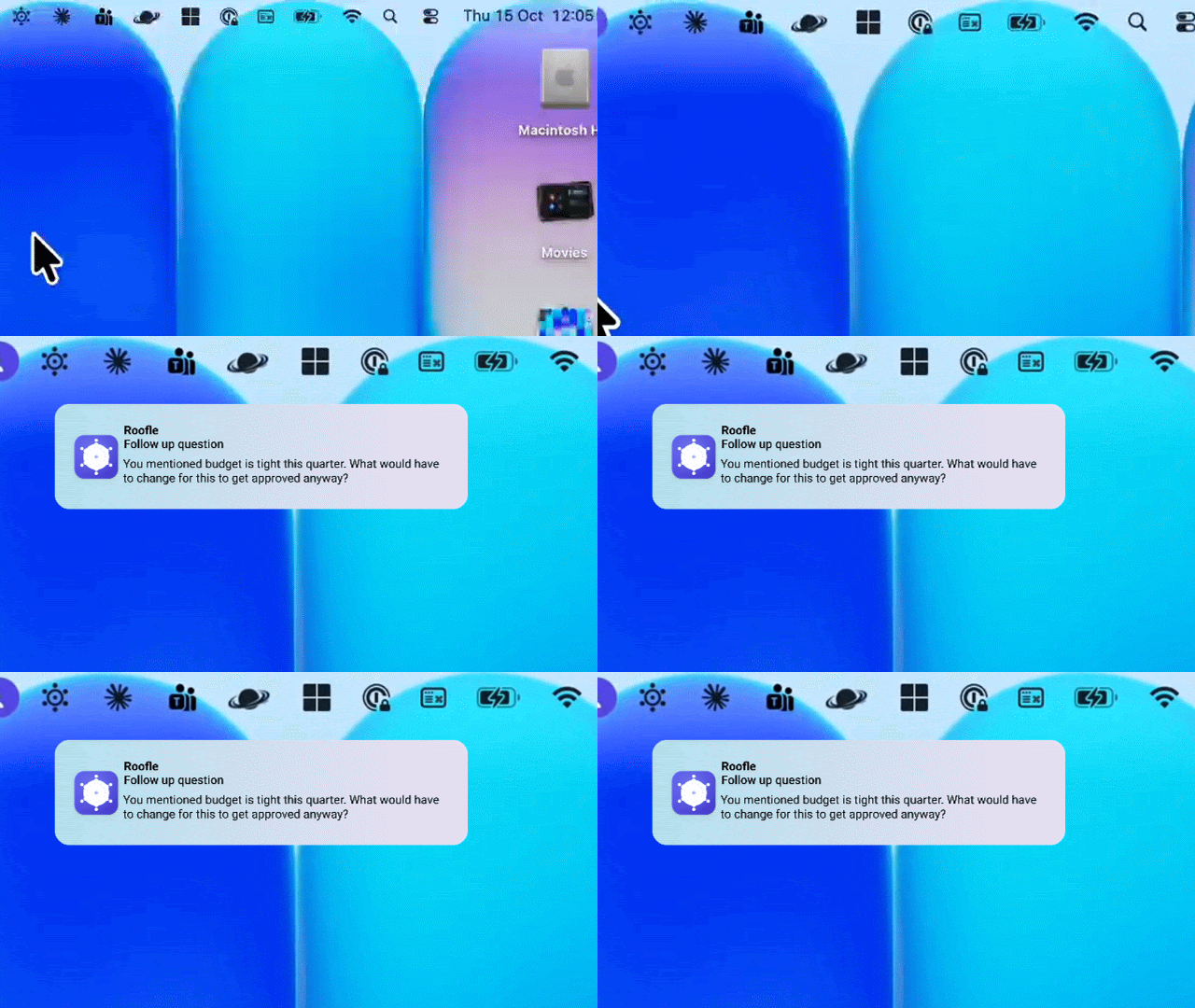
Roofle is not the right choice in three cases. It needs an Apple Silicon Mac today. It has no shared team archive. And it does not assign or track action items, so those still need to land in your task board. If you need Windows now, look at Meetily.
How do you choose a speech model and a language model?
Every tool above separates two jobs. A speech model turns audio into text, and a language model turns that text into notes. You can choose each one independently, and the two choices fail differently.
Local speech recognition is the stronger half. Whisper and Parakeet handle clear English well on a modern Apple Silicon Mac, though accents, crosstalk and poor microphones hurt every tool. Local summarization is the weaker half, because a small model writes plainer notes than a large hosted one.
A practical split is to transcribe locally and use a hosted model only for calls that are not confidential. If you want to set up the speech side yourself, run a transcription model on your Mac walks through it.
What does it cost?
The apps are free at the community level in all four cases. The real cost is either the paid tier or the model.
| Cost | Anarlog | Meetily | Amical | Roofle |
|---|---|---|---|---|
| Free tier | Yes, with on-device transcription and your own keys | Community edition, MIT | Open source, MIT | Free and open source |
| Paid plan | $14/person/month or $140/year | $10/user/month annually | Cloud option; prices not listed on its docs page | None |
| With a local model | Hardware only | Hardware only | Hardware only | Hardware only |
| With a hosted model | Provider usage on top, if you bring keys | Provider usage on top | Provider usage on top | Provider usage, paid to the provider |
Is local always more private?
No. Local transcription keeps the audio on your machine, but a hosted language model still receives the transcript text. Before trusting any of these tools, check three things: where speech recognition runs, where the text goes for summarizing, and what is stored on disk. With a local speech model and a local language model, nothing leaves your computer. Roofle's privacy page lists exactly what goes where for its own setup.
Tell the other people on the call that you are transcribing. Many places require consent, so check local law and your company policy.
What are the limits of this comparison?
I compared documentation, not output quality. I did not run the same meeting through all four tools and score the results, so I cannot tell you which one transcribes best. The most useful test is your own: run one real recurring meeting through two tools and read both outputs against what was actually said. Why AI meeting notes are not enough explains why the check matters.
For a wider look that includes Granola and Otter, read open source alternatives to Granola and Otter.
FAQ
What is the best local meeting notes app? It depends on the job. Meetily is the most straightforward recorder with Windows and Mac installers, Anarlog offers the most model choices, and Roofle tunes notes and live questions to your role.
Do local meeting notes apps join my call as a bot? No. Anarlog, Meetily and Roofle capture audio from your computer, so nothing appears in the participant list. You should still tell people you are transcribing.
Can I run Meetily fully offline? Yes, if you use Whisper or Parakeet for speech and Ollama for summaries. If you connect a cloud provider instead, the transcript text goes to it.
Is Amical a meeting notes app? Not today, based on its docs. It is built for dictation into other apps. Check the project for meeting transcription before you rely on it.
How much do Anarlog and Meetily cost? Anarlog Pro is $14 per person per month or $140 per year. Meetily Pro is $10 per user per month billed annually. Both have free community or free-tier options.
Does Roofle work on Windows? Not yet. It needs an Apple Silicon Mac today, with Windows planned.
Are local summaries as good as cloud ones? Usually plainer. Local transcription is strong, but a small local language model writes less polished notes than a large hosted one.
Get started
Pick one recurring meeting this week, run it through two of these tools and compare the notes with your own memory. If you want notes and live questions that fit your role, download Roofle and see the features. It is free and open source.